Disclosure: As an Amazon Associate, I earn from qualifying purchases. This site uses localized tracking links.
Internet Connection: Speed Requirements for Sonos
When optimizing a Sonos system, network consistency matters far more than sheer megabits per second. Following Sonos’s shift toward cloud-dependent app commands, your internet connection requires a stable foundation to prevent audio dropouts and app connection timeouts.
The Minimum Speed Thresholds
To run a multi-room Sonos ecosystem smoothly without track buffering or app lag, your internet connection must meet these baseline metrics:
Download Speed: 25 Mbps minimum (50+ Mbps recommended if streaming High-Res 24-bit audio or Dolby Atmos).
Upload Speed: 5 Mbps minimum (Crucial for handling cloud-based app volume commands and skipping tracks without lag).
Latency (Ping): Under 40 ms (High latency spikes on satellite or 4G/5G connections cause speaker desynchronization). You can easily check this yourself by opening a command prompt in Windows (hold Windows key>press the ‘R’ key>type ‘cmd’>hit enter>type: ping 8.8.8.8 followed by enter) and looking at the ‘<time’ value.
As a real world comparison, my personal home internet is a modest 80 Mbps down / 20 Mbps up. By today’s standards, it isn’t remarkably fast but my Sonos system is completely rock stable because the local network design is correct.
The Good News: If you have a standard fixed home broadband connection, your network easily exceeds these criteria out of the box! Just make sure you’re using healthy unbent network cables.
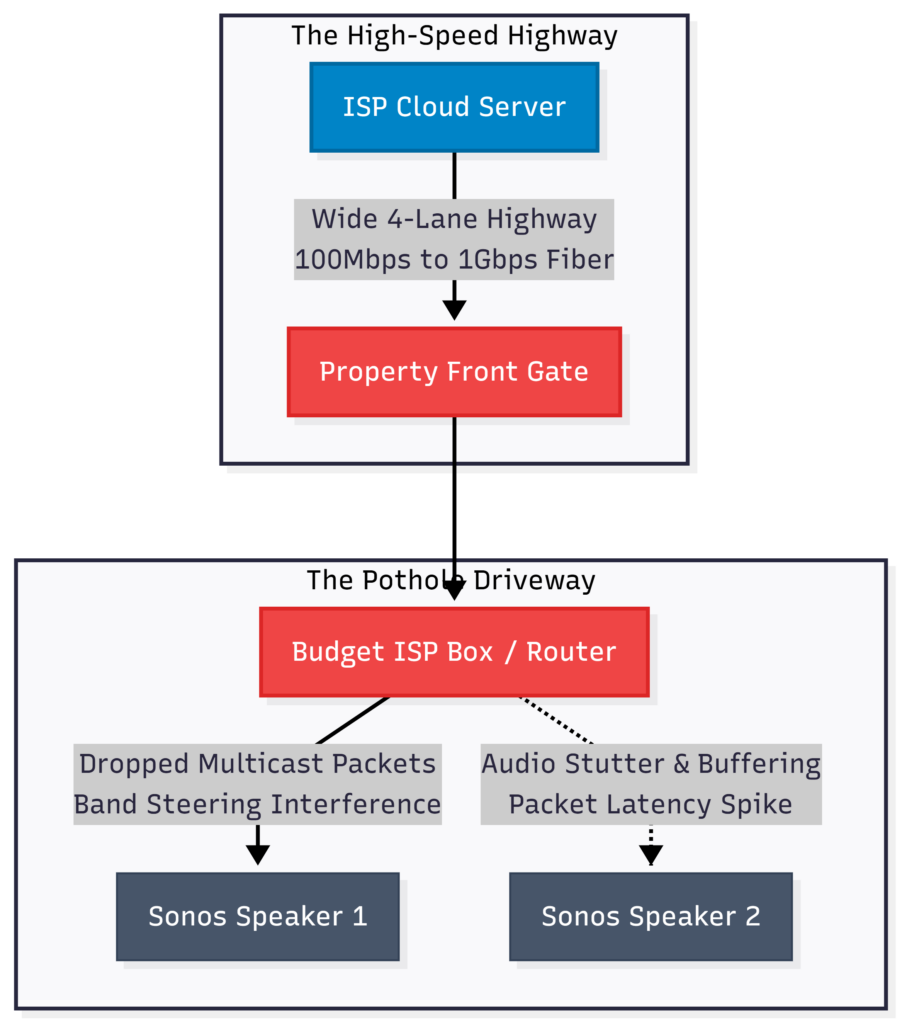
The Highway vs. The Driveway: Why Speed Isn’t the Whole Story
If your internet speed is so high, why is your Sonos system still dropping out or lagging?
Think of your internet connection as a massive multi-lane highway. Your high speed broadband connection gives you an incredibly fast, wide highway leading right up to your house. However, your local Wi-Fi router acts as your home’s driveway and garage.
It doesn’t matter if the highway has a 100 mph speed limit if your driveway is blocked by obstacles, or if your garage doors won’t open. If your local router can’t manage the data packets inside your house, the high speed data is going to get stuck at the front gate!
This is why upgrading your internet package with your provider rarely fixes a stuttering Sonos system. The bottleneck isn’t the highway; it’s your local network design.
The Engineer’s Diagnostic Tool!
Never assume a legacy Ethernet cable is healthy just because it clicks into the port. A single fractured internal copper strand will silently drop your connection speeds to 10Mbps. If you are building a multi-room backbone, grab a budget [Digital RJ45 Network Cable Tester (Check Price on Amazon)] to instantly verify line continuity and wire mapping before running cables behind furniture.
We’ll dive deep into fixing your “driveway” in the Choosing a Router and WiFi Network Settings sections next!